Tag: practicing teacher criteria

  • Teaching Portfolios: How to set up a Blog based portfolio

    A blog based template is a good way of going about keeping a record of your portfolio. Many people are used to the system of blogging, and the key part of anything is it’s flexibility.

    Essentially, each piece of evidence is a new post. In that post you can include file links, images, and annotations or descriptions. Built in to every blog system is the use of categories and tags, which can be used to track the six teaching standards, subject of the evidence, type of evidence (image, photo, resource, video, etc…) and more. These can then all be used to create archive pages or collections to showcase in your portfolio.

    The big benefit to creating your portfolio online is its accessibility from anywhere, allowing you to add evidence no matter where you are. In addition to this, being able to easily share your portfolio with your principal in order to get your registration signed off is also a convenience. Another benefit is the ability to add comment, annotation, and descriptions or reflections to each piece of evidence and have it attached with the evidence permanently in one place.

    There are a couple of downsides to using a blog system. The first is a matter of privacy. The thing that makes it a great system, accessibility, is also it’s downfall. Unless you go through your evidence and black out names or blur faces in photos, and moderate any comments you make in annotations, all of these things will go up online for everyone to see. Of course, there are ways of making this work, such as making your portfolio private and password protected. You will have to provide your principal with an account to view it however if you wish to share it with them.
    Secondly, it requires extra work on your part. Each piece of evidence needs to be added as a new blog post, files and photos uploaded, and comments or descriptions added. This is slightly more cumbersome than just dropping files into a folder, or even adding it as a new page in OneNote – especially if you keep getting signed out!

    Pros
    • Accessible online from anywhere
    • Easy to share with others
    • Explanations, Descriptions and Reflections all easy to add to a piece of evidence and posted together.
    Cons
    • Privacy issues by being online
    • Additional work required to add pieces of evidence

    Creating a Teaching Portfolio in a blog

    Getting started is actually a lot easier than you’d first imagine. The hardest part is choosing a blogging system. There are several that I would recommend.

    In the end, choose one that works for you. If it’s too hard for you to use and get used to, then you’re not going to maintain your portfolio very well. The other factor to take into account is the privacy capabilities of the system – does it have private mode? Can you make posts password protected?

    I’m not going to go into details of how to use each of these systems. Most of them have a simple tag and category based system, especially the first two. Instead, I’ll go through the basic setup of what you need to build the structure of your portfolio.

    I’ve actually made an entire website for this purpose. You can visit it below:


    Wordpress.com PTC Portfolio

    Please go through and have a look at this site. It takes you through the whole set up with you, and addresses each of the issues outlined above.

    Examples

    Here are some examples of some blog based portfolios I’ve come across or made myself.

    PTC Portfolio Template
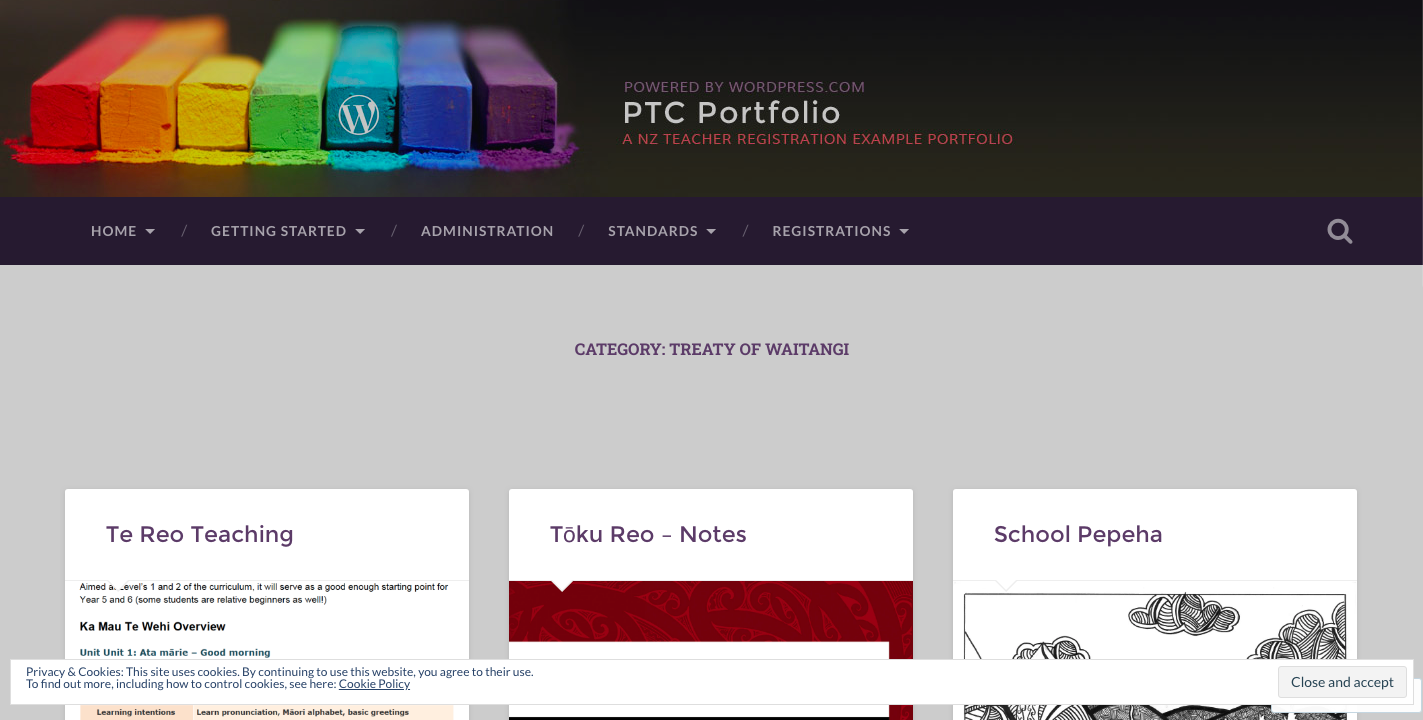
    Not only is the WordPress tutorial I built above a walkthrough, but also serves as an example of what your portfolio could look like. I’ve also put in some example evidence. Go ahead and have a look through it.


    PTC Portfolio

    ePortfolio – Google Site


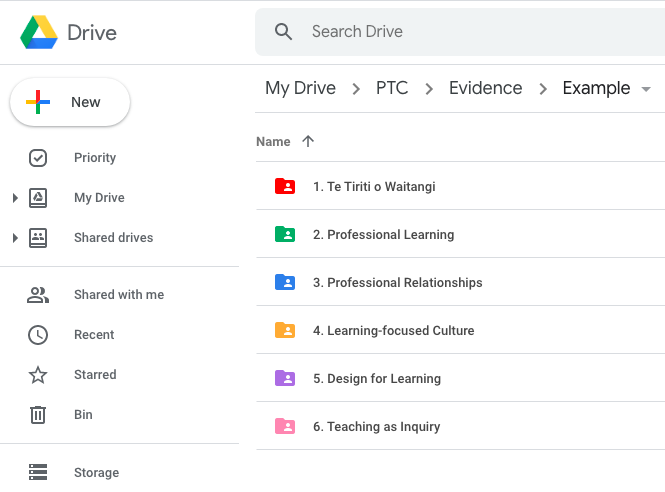
    Here I used a combination of Google Drive and Google Sites. Essentially I would just add evidence into relevant folders in Google Drive and the Site would link to those folders. I could then create some featured posts to showcase some of the better pieces of evidence.
  • Teaching Portfolios: Standards Based Portfolio

    One way in which you can build your teaching portfolio is to use each of the six standards as a different ‘category’ for which to organise your evidence into. This can be done easily in both hard copy portfolios as well as online or computer based portfolios.

    Whichever way you decide to go in setting up your portfolio, you should consider each of the steps in this guide.

    Hard Copy Portfolio

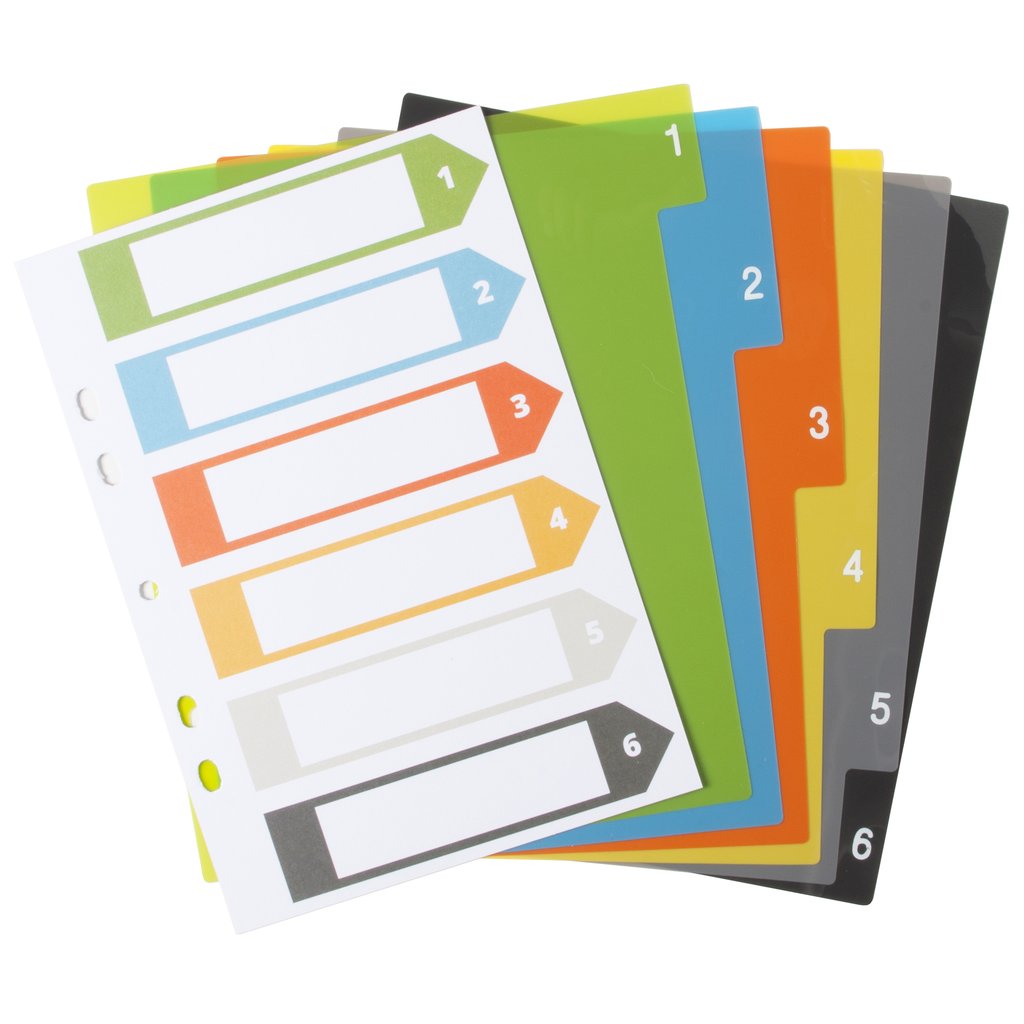
    For hard copy portfolios, use a set of file dividers to break your folder into sections.

    You could also use an expanding folder and set aside six pockets to put the evidence into.

    Keep the front divider page and use this as either a title for each section, or as a contents / index page for what you put into each section.

    Computer Portfolio

    If you plan on using Google Drive / OneDrive / Dropbox or even just Windows Explorer / My Documents, simply create a folder for your portfolio, then inside it, create six folders – one for each of the six standards.

    You could also use OneNote and create six sections along the top for each of the standards. Then each new piece of evidence just becomes a page within that section.

    See our article on OneNote portfolios for more info.

    Evidence

    As you collect evidence of your teaching practise, simply take a copy (photocopy or Ctrl+C) and put it into the relevant section. If it fits under more than one of the standards, then put additional copies into those sections. In Computer based portfolios this is very easy, as you just continue to paste each file into each relevant folder as many times as you like. For hard copy portfolios you’ll need to make additional photocopies.

    Don’t forget to date each piece of evidence as it comes in. Computer based portfolios will do this automatically for when the file was created.

    Keep Track

    It is a good idea to keep a contents page of what has been placed in your portfolio. There are several ways you could do this, but the simplest way would be to draw up six columns and each time a piece of evidence is added into the section, you add it to the column / columns that pertain to each standard. You could also use the index card of the dividers set that you purchased for your folder and add each piece of evidence as you go.

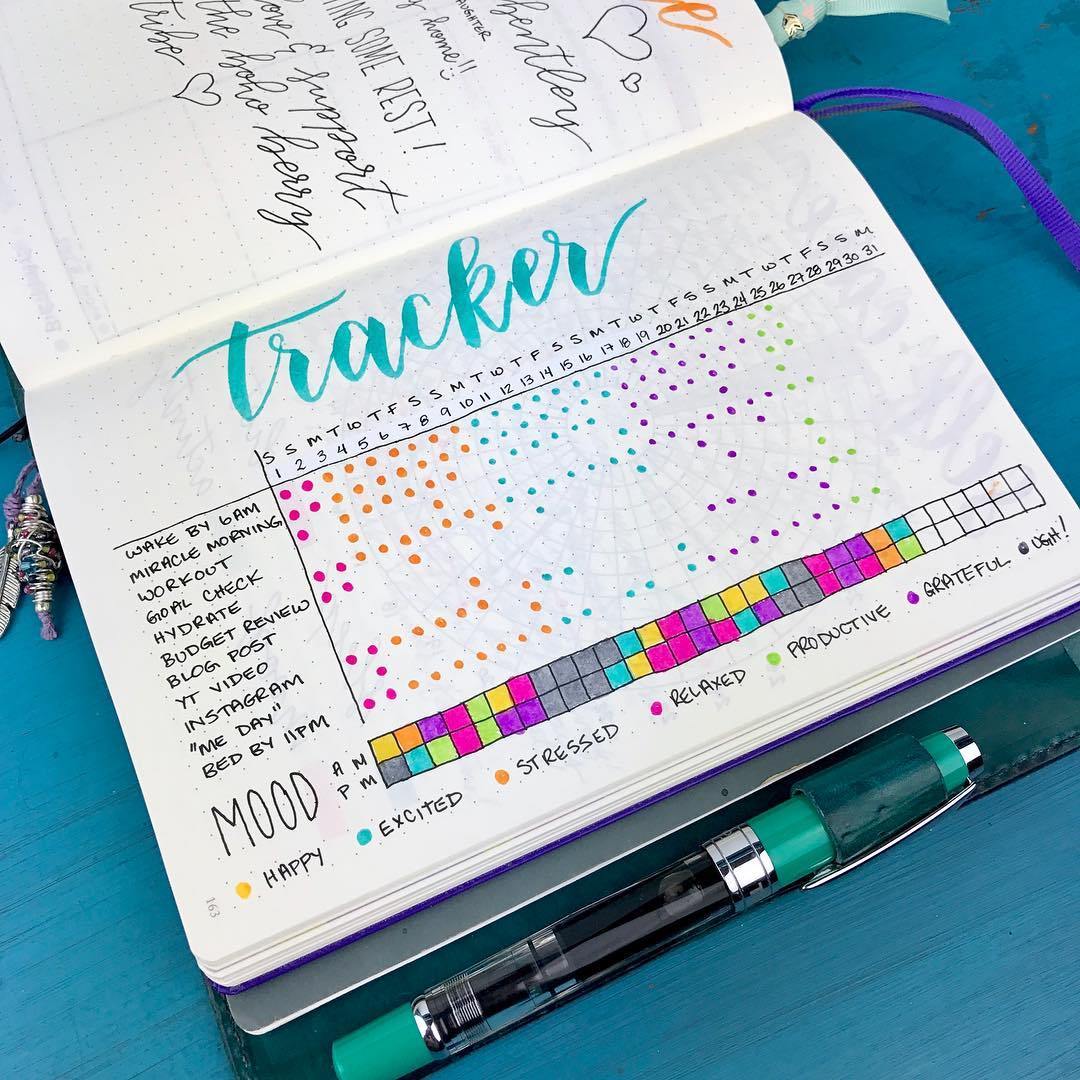
    It is also interesting to keep track of how many pieces of evidence you have in each of the standards. A simple file count in each folder will tell you in a computer based portfolio. A tracking sheet could be used for both systems as well so you can see what areas you might want to work on or focus on for the next term or two.

    This is a tracker from a bullet-journal, but one could easily adapt something like this for keeping track of the number of artefacts you have in each of the six teaching standards.

    This is just the beginning steps of setting up your Standards based Portfolio.

    Another way would be to set up your portfolio using dates as your organiser. You can see how this is done in the next article.

  • Teaching Portfolios: Making them Work

    Even though they are not required by the Teaching Council, many schools use Teaching portfolios to show evidence that a teacher is meeting the criteria and standards for registration, and therefore can be signed off when their registration comes up for renewal.

    The format of appraisal and the keeping of portfolios has been a bug-bear of teachers for a while now, with the increase of workload in collecting evidence and putting it in a portfolio for something that is not actually required.

    However, I argue that portfolios are a good way of keeping records of your teaching career and can help make you a more reflective teacher in the process. I think that they would be worth maintaining even if they are not required.  While I acknowledge there is a bit of work required to keep it, there are several ways in which you can streamline the process so that keeping a portfolio is no longer a burden or a time-sapping exercise.

    The following are several keys to success that I’ve found along the way so that keeping and maintaining your teacher portfolio.

    Rule 1: Make it work for you; instead of you working for it…

    The number one thing you need to do when making your portfolio is to make it work for you.

    What does this mean?

    Put simply, choose a system, a method of keeping evidence, resources, materials, artefacts that is natural to you. If you’re a hands on person who prefers hard copies of things, then use a clearfile or lever-arch folder, or even a cascading folder.
    If you keep a lot of your teaching work in Google Docs, or use Google Drive a lot, then create a folder for evidence and put all the files in there.
    If you put a lot of your teaching work online, then you could set up a blog or website.

    Choose a system that works for you

    • Clearfile
    • Lever-arch File
    • Cascading Folder
    • Cardboard Box
    • Google Drive Folder
    • One Note Notebook
    • Google Site
    • Website
    • Blog

    You can find out more about each of the main ways to organise your portfolio at the following articles:

    Date Based Portfolio

    Standard Based Portfolio

    Organise it how your brain works

    Following on from the previous point on making it work for you: Setting up your portfolio in the way that your brain operates means that organising and maintaining your portfolio will be second nature to you rather than battling with yourself internally each time you come to update it.

    There are two main ways in which you can organise your teaching standards portfolio:

    • Date Based
      This consists of folders or sections labeled by date (ie. 2018, 2019, 2020). In each folder you put evidence of your teaching practise as it happens.
    • By Standard
      This consists of creating a set of six folders or sections, one for each of the six teaching standards. As you create each piece of evidence, simply put it in the folder that it best suits.

    Obviously there are other ways as well. I’ve found the best to be a combination of these two ways. It doesn’t matter really how you choose to organise it, as long as whichever way you choose is how your brain best processes a portfolio of this kind.

    Robust yet Flexible

    It wouldn’t be a blog about teaching without a bit of an oxymoron in it. When you set up your portfolio, make sure whatever system you choose to organise it in is robust. Stick to it, and keep it consistent. At the same time however, be flexible enough to adapt it to fit your needs as you go. Don’t be afraid to try new things, reorganise it or adjust it as you need to. Remember, the first rule is key: this HAS to work for you. As soon as it doesn’t, you’re working for it and it become cumbersome.

    Tags Are Your Friend

    One thing I have found the more and more portfolios I have made over my years as a teacher is that you need a way to tag or categorise each piece of evidence. Regardless of whether you go with a date based or standards based approach, having a system of tags will save you a lot of time. Using tags avoids the problem mentioned next.

    Avoid doubling up

    There is nothing more demoralising to a teacher (or anyone for that fact) than having to do something twice.

    Therefore, ensure that you only have to enter evidence into your portfolio once. The use of computer based portfolios certainly helps with this, especially with evidence that fits under multiple standards.

    Avoid doubling up

    There is nothing more demoralising to a teacher (or anyone for that fact) than having to do something twice.

    A very good portfolio will find a way in which you can keep your work organised when you create it AND enter it into your portfolio at the same time. This is somewhat of a pipedream, though definitely possible. Essentially this is where flexibility of your system is key, as this wouldn’t be possible for every piece of evidence, but definitely a possibility for some.

    Keep an eye out for more…

    We will be adding more Teacher Portfolio ideas, tips, tricks, and how-to guides in the near future. Check back here for more!

  • Teaching Portfolios: Do we need them?

    Ever since I became a teacher in 2009 I’ve been keeping everything I’ve done. For the first two years as a PRT (Provisionally Registered Teacher) it was pretty much part of the process of what was expected to keep track of my progress, my teaching, and my career. After that, it had become somewhat second nature and with the appraisal process becoming much less trustworthy with the introduction of the Education Council (renamed Teacher’s Council), schools and principals were encouraged to tighten their systems of appraisal and were expected to have their staff collect evidence that they were meeting each of the 12 criteria at the time.

    On top of this, teachers were also encouraged to carry out what has become known as “Teacher Inquiry” where teachers inquired into their own practise and how they might be better teachers for their classes and students.

    Although I’d known no different and all of this was second nature and just part of the job, it is a lot of work on top of what we have to do day in and day out – the core business of teaching. It quickly became one of the number one pieces of paperwork and time consumers for teachers.

    Along came Labour, winning the 2017 election and swiftly removing the ‘Education Council’ and returning it to the teachers. With the pay negotiations came the agreement to address the workload. And with that the appraisal process, of which teacher inquiry and portfolios had become synonymous with.

    In September 2019, the following paragraph was released from the Teaching Council website in regards to it’s requirements around portfolios and inquiry.


    The Teaching Council would like to clarify what it expects for the issue or renewal of a practising certificate.
    The issue or renewal of a practising certificate will be based on an endorsement made by the professional leader, based on the teacher’s participation in a system that includes:

    • an annual summary report that states whether or not the appraisee meets the Standards or Ngā Paerewa
      • the annual summary report is the only teacher documentation that is required for the purposes of the audit ERO undertakes on behalf of the Teaching Council
    • that appraisees have been observed once annually and involved in two conversations ideally with an appraiser who is familiar with the day to day work of the teacher
      • the Council has listened to the profession and accepts that one observation may suffice for fully certificated teachers.

    We do not ask (nor do we require) to see copies of the annual summary report, or any evidence. We rely on the professional judgement of the appraiser and the leader making the endorsement.

    While schools and centres are free to design their appraisal processes there is no requirement in law or by any agency that an appraisal system must include:

    1. an inquiry to be undertaken by teachers

    2. reports to be kept of all the professional development teachers do

    3. a portfolio of evidence compiled by teachers


    So essentially, it is not the Teacher’s Council that requires you to collect evidence, or complete an inquiry, but your school and/or principal. However, schools and principals feel that they have to get teachers to do these in order to have something to sign off on for the annual summary report. They don’t, but they might feel that they have to have some kind of evidence that teachers are meeting the criteria when signing off the annual summary report.

    Regardless, I return to my first question: Do we need them?

    The short answer is no. Not legally.

    But that doesn’t mean we shouldn’t have them or keep them, as professionals and learners. Portfolios are a good way of collating experiences, celebrating successes, recording failures, and building a collection of your career as a teacher. They provide you with opportunities to reflect, question, and develop your own skills as a learner, and when done well, can be incredibly insightful and important to the practise of teaching.

    The long answer is yes. Yes definitely.

    But… but…. but they make so much more work! Yes. You’re right. But there are two things I say to that.

    Firstly: There are no shortcuts to anywhere worth going.

    Secondly: Make the portfolio work for you, not you work for it.

    I have several ways of doing this which I plan on sharing over the course of the next few months. This is because I believe there are ways to make them easier to create and collect. I also believe they are worth maintaining even though they are not required legally. Otherwise I wouldn’t bother writing about this now when there is a chance that schools will start dropping the expectation that teachers maintain them. I believe that even if my school dropped them as a requirement, that I would still continue to collect and reflect on my teaching practise in the form of a portfolio.